> ## Documentation Index
> Fetch the complete documentation index at: https://docs.joyfill.io/llms.txt
> Use this file to discover all available pages before exploring further.
# Welcome to Joyfill
> Embeddable form builder SDKs for every platform
 # What is Joyfill?
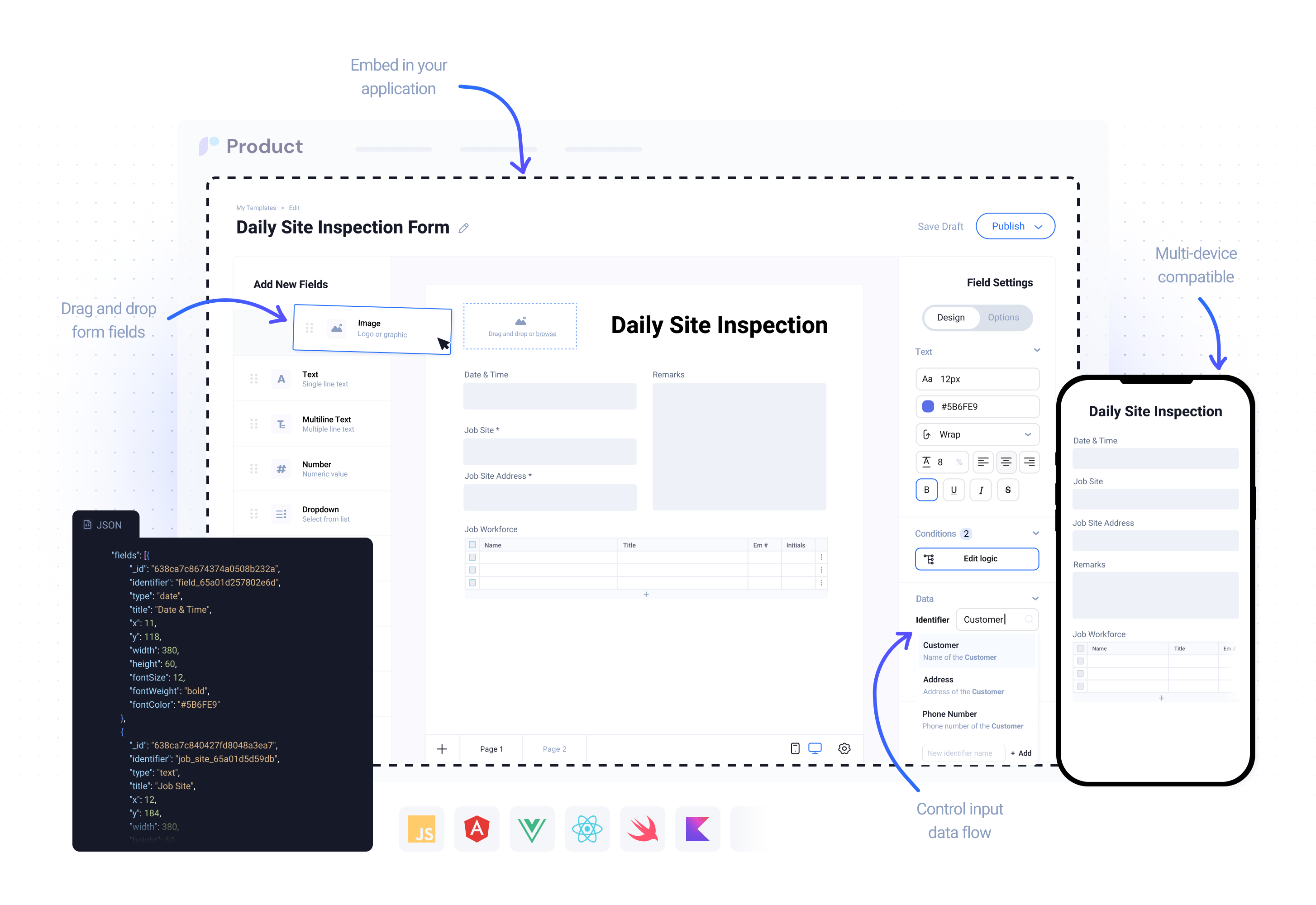
Joyfill provides you with ready-to-use embeddable UI SDKs, APIs, and Services that empower you to add powerful Form and PDF capabilities directly inside your own application on web and mobile.
**To your end users**, Joyfill is an easy-to-use interface that allows them build any form, digitize any legacy PDF and then fill those documents out on web or mobile directly in your own applications.
**To customer success teams**, Joyfill is an easy-to-use drag-and-drop form builder that allows them to build any kind of form or digitize any PDF provided by your customers. No need to wait on the developers anymore. Everything can be managed, prepared, and published directly inside the Joyfill Manager.
**And to developers**, Joyfill is a powerful set of ready-to-use Embeddable UI Components and APIs that can used to add powerful form and digital PDF solutions directly inside your own product on web and mobile without the 1000s of hours spent on development and support.
# Developer Documentation
Build powerful, customizable form experiences with Joyfill. Integrate forms into your applications across iOS, Android, React Native, Web, or use our REST API for custom integrations.
## Get Started in Minutes
Select the SDK that matches your technology stack - iOS, Kotlin, React Native, or Web.
Quick installation via your preferred package manager (SPM, Gradle, npm).
Add your access token and configure the SDK to match your needs.
Display a form in your app with just a few lines of code.
## Choose Your Platform
Build native iOS form experiences with Swift
Create Android apps with our Kotlin SDK
Cross-platform mobile forms with React Native
Embed forms in any web application
Build custom integrations with our REST API
# What is Joyfill?
Joyfill provides you with ready-to-use embeddable UI SDKs, APIs, and Services that empower you to add powerful Form and PDF capabilities directly inside your own application on web and mobile.
**To your end users**, Joyfill is an easy-to-use interface that allows them build any form, digitize any legacy PDF and then fill those documents out on web or mobile directly in your own applications.
**To customer success teams**, Joyfill is an easy-to-use drag-and-drop form builder that allows them to build any kind of form or digitize any PDF provided by your customers. No need to wait on the developers anymore. Everything can be managed, prepared, and published directly inside the Joyfill Manager.
**And to developers**, Joyfill is a powerful set of ready-to-use Embeddable UI Components and APIs that can used to add powerful form and digital PDF solutions directly inside your own product on web and mobile without the 1000s of hours spent on development and support.
# Developer Documentation
Build powerful, customizable form experiences with Joyfill. Integrate forms into your applications across iOS, Android, React Native, Web, or use our REST API for custom integrations.
## Get Started in Minutes
Select the SDK that matches your technology stack - iOS, Kotlin, React Native, or Web.
Quick installation via your preferred package manager (SPM, Gradle, npm).
Add your access token and configure the SDK to match your needs.
Display a form in your app with just a few lines of code.
## Choose Your Platform
Build native iOS form experiences with Swift
Create Android apps with our Kotlin SDK
Cross-platform mobile forms with React Native
Embed forms in any web application
Build custom integrations with our REST API